
 EN
EN
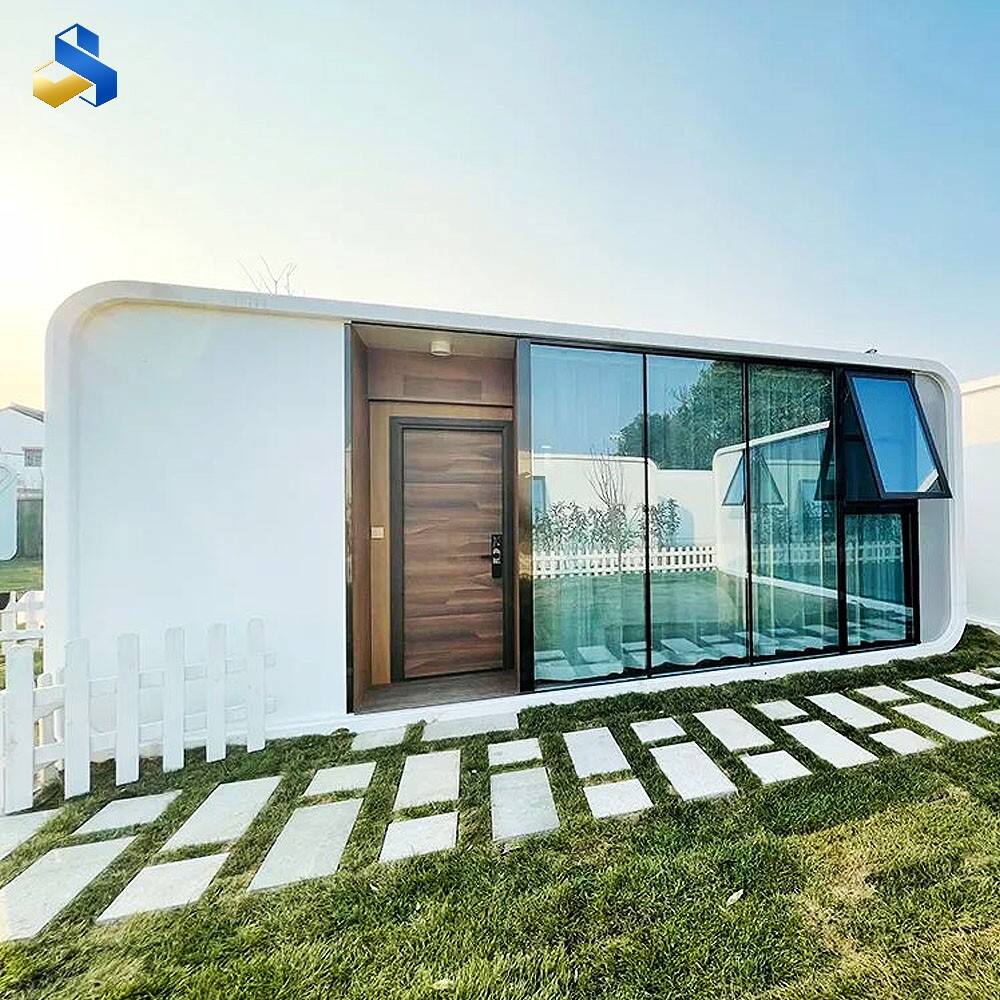
Smart Lighting Systems Optimized for Apple Cabin Offices
Circadian-Rhythm-Aligned Lighting in Compact Workspaces
LEDs that adjust their color temperature can actually mimic the changes we see in natural daylight, which helps maintain our body's internal clock especially important for people working in tiny office spaces. Research published in reputable journals indicates these lighting systems cut down on eye strain by around half, plus they help workers stay focused throughout the day when space is limited below 100 square feet. The small area means tired eyes get worn out faster than usual. Adding motion sensors for desk lighting makes sense too since it cuts down on wasted electricity while still providing immediate illumination when needed most.
Matter/Thread Interoperability with Apple HomeKit
Thread offers low power mesh networking that makes it really easy for smart lights to work together with Apple HomeKit without needing any special proprietary hubs. Getting certified under Matter 1.3 means these devices can talk to products from different brands too. Setup becomes much simpler when using Thread technology. Some big name manufacturers say their installation times dropped by about 90 percent compared to older Wi-Fi based systems. What does all this mean? Offices equipped with Apple cabins now have lighting systems that respond quickly and work well together no matter how many devices get added over time.
Case Study: Smart Lighting in a 120-sq-ft Apple Cabin (Energy Use –37%)
A workflow analysis of a retrofitted 120-sq-ft Apple cabin revealed how intelligent lighting transforms efficiency and performance:
| Period | Lighting Type | Avg. Daily Consumption | Occupant Productivity |
|---|---|---|---|
| Pre-retrofit | Standard LEDs | 2.1 kWh | Moderate fluctuations |
| Post-retrofit | Nanoleaf Essentials + Aqara E1 | 1.3 kWh (-37%) | Stabilized peak output |
Integration with occupancy sensors and HomeKit automations eliminated vampire power drain–proving IoT-enabled lighting isn’t just scalable for tiny offices, but foundational to their operational integrity.
Climate Control Solutions for Micro-Office Thermal Zoning
Thermal Challenges in Sealed Prefab Apple Cabin Environments
The small size of prefabricated Apple cabins (usually between 100 and 200 square feet) along with their sealed construction and lots of glass creates real problems for keeping temperatures stable. When sunlight comes pouring in through those big windows and mixes with all the heat generated by computers and other equipment, it's not uncommon to see temperatures jump quite suddenly inside. According to recent findings from ASHRAE in 2023, there can be differences of more than 15 degrees Fahrenheit across different parts of the cabin within just half an hour. Standard heating and cooling systems struggle with this situation, often going into overdrive mode which actually makes things worse. These systems end up consuming about 40% more energy than needed while making people uncomfortable when they need to concentrate on work or creative tasks.
Thread-Based Edge Computing for Low-Latency HVAC Response
Thread's native mesh architecture supports edge computing–processing climate data locally rather than routing it through the cloud. This cuts command latency to under 300ms (12× faster than Wi-Fi-based systems), enabling micro-zones to react autonomously to hyperlocal conditions:
- Occupancy sensors initiate targeted airflow before users settle
- Window contact sensors pause cooling during intentional ventilation
- External weather APIs adjust setpoints proactively
Field tests by the Thread Group confirm this approach maintains sub-1°C precision while reducing HVAC runtime by 22%.
Case Study: Smart Thermostat + Wireless Sensors in an Off-Grid Apple Cabin (±0.5°C Stability)
Over six months, a 140-sq-ft off-grid Apple cabin achieved exceptional thermal consistency using a Matter-certified smart thermostat coordinated with three strategically placed wireless sensors:
| Sensor Location | Function | Impact |
|---|---|---|
| Desk Level | Occupant comfort monitoring | Primary setpoint control |
| Near Entry | Draft detection | Buffer zone activation |
| Equipment Cluster | Electronics heat mapping | Compensatory cooling |
The system maintained ±0.5°C stability across external temperatures ranging from –5°C to 35°C–while cutting energy use by 37% versus non-zoned comparables. This demonstrates that precision thermal zoning isn’t theoretical; it’s operationally viable and essential for Apple cabin offices.
Unified Voice Control and Hub-Less Smart Home Tech Integration
Resolving Fragmented Voice Control Across Non-HomeKit Devices
Many Apple office setups end up mixing in third party stuff like lights, window shades, or air cleaners that don't work natively with HomeKit. This creates all sorts of problems - people have to deal with different voice commands, remember multiple wake words, and jump between apps just to get things done properly. According to that recent connectivity report from 2023, folks running small offices actually spend about 11 extra minutes each day dealing with these incompatible systems. The good news is bridge solutions are starting to fix this mess. When someone says "Hey Siri, start work mode" it can now dim the lights, tweak the thermostat settings, and even lower those privacy screens at the same time. And best part? None of this takes away from what individual devices can do on their own. Getting these systems to talk to each other still depends heavily on making sure everything plays nice together behind the scenes, especially when it comes to getting voice assistants to understand protocols like Matter and Thread.
Leveraging Matter 1.3 and Apple’s Thread Border Router
The new energy monitoring features in Matter 1.3 work seamlessly with Apple's Thread Border Router, allowing devices to talk directly to each other without needing a central hub in those modular office spaces. No more worrying about one device bringing down the whole system, plus response times for voice commands are under 25 milliseconds now. According to tests done last year by Smart Home Performance Index, these systems trigger automations about 43 percent quicker compared to what we see with Zigbee technology. There's also some pretty good security stuff going on here too. All voice data gets encrypted from start to finish, and firmware updates happen automatically across over 200 different Matter certified gadgets. Setting things up is simple thanks to those QR codes, yet everything still works perfectly within the Apple Home app as it always has.
Cybersecurity Best Practices for Smart Home Tech in Apple Cabin Offices
Securing IoT systems in Apple cabin offices demands a layered, context-aware strategy. These compact, often remote or off-grid environments concentrate risk: limited physical access controls, dense device interconnectivity, and frequent remote management needs heighten exposure. Prioritize these evidence-backed safeguards:
- Network Segmentation: Isolate smart devices on dedicated VLANs to contain breaches and prevent lateral movement
- Biometric Authentication: Replace PIN-based smart locks with Apple Secure Enclave–enabled hardware for tamper-resistant access
- Encrypted Local Storage: Configure HomeKit Secure Video to process and store footage on-device–not in the cloud–to preserve privacy and reduce attack surface
- Zero-Trust Frameworks: Enforce continuous identity verification for all remote sessions, including time-bound session tokens and device attestation
In off grid systems or those combining different technologies, Thread based edge computing cuts down dependence on cloud services while keeping lights and HVAC systems responsive. The attack surface gets smaller too. A recent report from the IoT Security Foundation found that regular firmware updates, particularly important for devices following the Matter standard, fix around 8 out of 10 known security holes. To make things even safer, companies should run penetration tests every three months that mimic real world attacks. Turn off any unnecessary functions like remote mic access when not needed. Also route all energy monitoring data through encrypted channels that are completely separate from other network traffic. This helps stop anyone from figuring out building occupancy patterns just by watching energy usage trends.
FAQ
What are the benefits of using smart lighting in small office spaces?
Smart lighting, especially those equipped with circadian-rhythm alignment, can reduce eye strain by about half and help maintain focus in spaces smaller than 100 square feet. They also help save energy with features like motion sensors.
How does Matter/Thread interoperability benefit Apple cabin offices?
Matter/Thread interoperability ensures compatibility across various brands and products, simplifying setup and improving responsiveness in Apple cabin offices.
What energy savings can be expected after retrofitting with smart lighting?
A case study showed a 37% reduction in energy consumption after retrofitting with smart lighting options like Nanoleaf Essentials and Aqara E1.
What are the thermal challenges faced by Apple cabin offices?
Sealed prefab Apple cabin environments can experience rapid temperature fluctuations due to their size, construction, and large windows, leading to inefficient traditional heating and cooling systems.
How does Thread-based edge computing improve HVAC responses?
Thread-based edge computing processes climate data locally, reducing command latency to fewer than 300ms and enabling proactive micro-zone climate control.
How can cybersecurity be ensured in Apple cabin offices?
Implementing network segmentation, biometric authentication, encrypted local storage, and zero-trust frameworks can enhance cybersecurity in Apple cabin offices.